
For a long time, it was impossible to move a Google Analytics property from one account to another. Now there is an easy way to do this.
I have countless times wished it was possible to move a Google Analytics property from one account to another account. Unfortunately, it was not possible. The only way was to create a new property without any historical data.
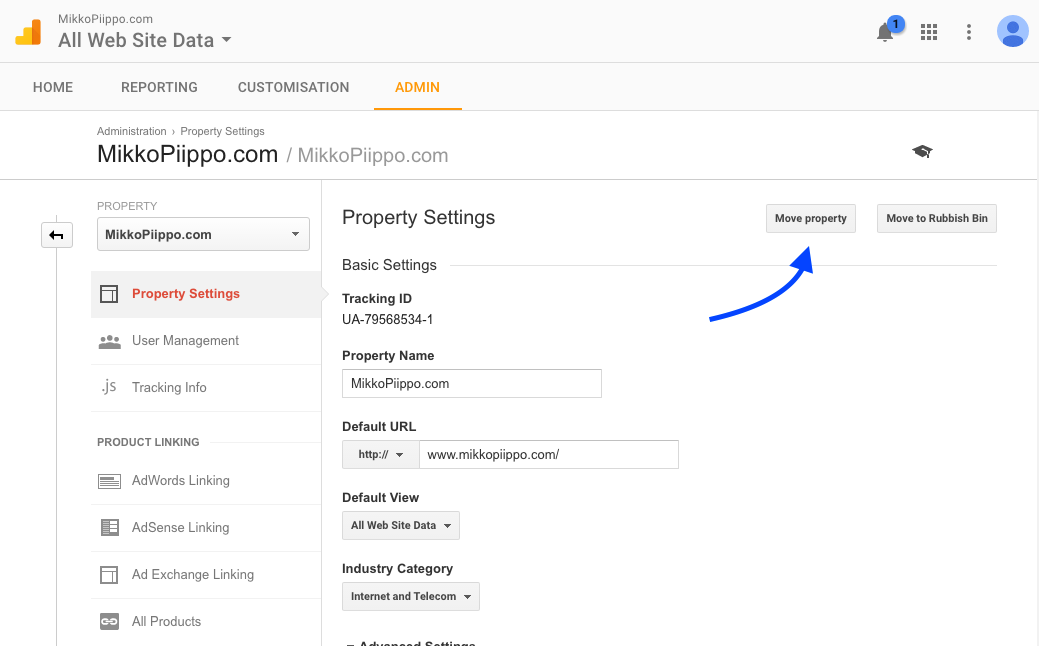
Now there is a very easy way to transfer properties in the property settings as long as you have Manage users and Edit permissions for both accounts.
You simply click the “Move property” button to start the process.
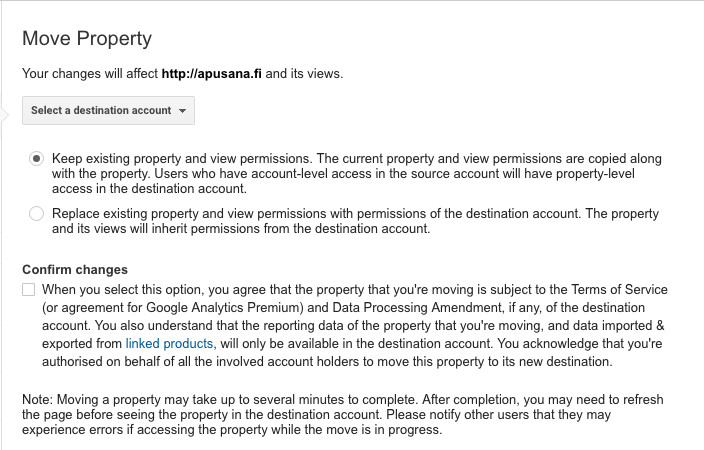
Next you need to select the destination account and confirm the changes. After this, it usually takes a couple of minutes before the property is transferred to the new account.
All the historical data is transferred. Moreover,
- all views and view settings, dashboards, custom reports etc
- property settings, temarketing audiences, custom definitions, data imports and custom tables are transferred
- Adwords, Adsense, Ad Exchange and Double Click integrations (except for DoubleClick for Publishers) are intact.
You can read more about the process in Google’s documentation.